
Reference
Path effects.
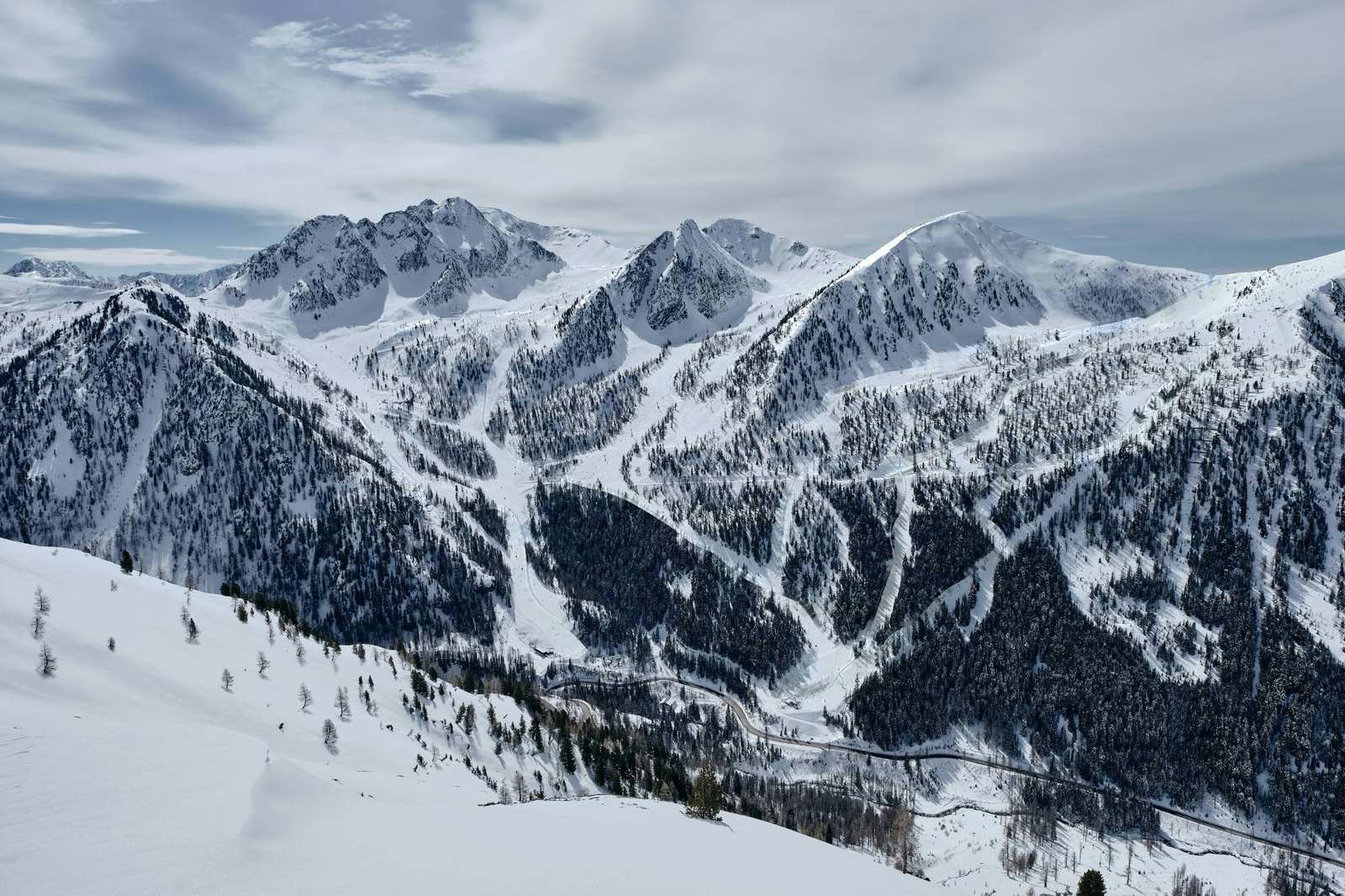
Movement that follows a line. Here, light runs down five ski runs and gathers on the valley floor, each route traced over the photograph so it stays on the piste.
How it’s builtThe hero, taken apart
Four layers, one of them moving.
The idea comes from a familiar kind of hero: an aerial shot of a motorway interchange, graded almost black, with light trails running along the lanes. That version is usually a pre-rendered video, seven seconds or so on a loop and a couple of megabytes. Ours is live: one still photo, the ski runs stored as about 120 coordinates, and a canvas drawing the light over them. It never plays the same way twice.
- How
- Canvas 2D. Each track’s coordinates are mapped with the same maths as object-fit: cover.
- Good for
- Heroes where the subject already has lines in it: tracks, roads, rail, cables, rivers.
- Leave it out
- When the photo has no real lines to follow. Invented paths over a photo look pasted on.
Draw
A line that draws as you scroll.
The route is one SVG path. Its drawn length is tied to how far you have scrolled through it, and each stop lights up once the line reaches it. Scroll back up and it undraws.
- How
- Framer Motion: useScroll on the stage, fed straight into pathLength.
- Good for
- Processes, timelines, a journey through a case study.
- Leave it out
- When the steps need reading in any order. Scroll-tied lines make people scroll to read.
Follow
Something that travels the path.
A train runs the Build line from our network map, easing in and out of each station and waiting there before moving on. It turns on the bends by itself.
- How
- SVG animateMotion, with keyPoints and keyTimes for the stops. No JavaScript in the loop.
- Good for
- Routes, deliveries, anything where the thing moving matters more than the line.
- Leave it out
- When it would sit next to text people are trying to read. A moving object pulls the eye every time.
- Hosting & support
- Integrations & automation
- Portals & dashboards
- CRM & booking systems
- Custom web apps
- Website design & build
Flow
Flow between points.
Dashes run along each connector, so the diagram shows direction without arrows. Hover a box to pick out its own connectors. This one is the true route of this site's forms.
- How
- A CSS animation on stroke-dashoffset, with :has() for the hover. No JavaScript.
- Good for
- Integrations, data flows, how a system hangs together.
- Leave it out
- For anything with more than a dozen connectors. It turns to noise.
Type
Type on a curve.
The words sit on a curve and slide along it, measured so the loop joins without a seam.
- How
- SVG textPath, with its start offset moved a little each frame.
- Good for
- A signature moment, one per site at most.
- Leave it out
- For anything people need to read quickly. Type on a curve is slow to read by design.
The six lines of the studio: Creative, Print, Behavioural design, Build, Photography and video, and dzined cloud.
The line should already be there.
The best path effects follow something real in the picture or the story. Show us yours and we’ll find the line in it.
Talk to us about a website